Robox – Tap & Earn!
- 4.7
- Rating
- 1.00M
- Installs
- Free
- Price

 Analysis by App-foxy
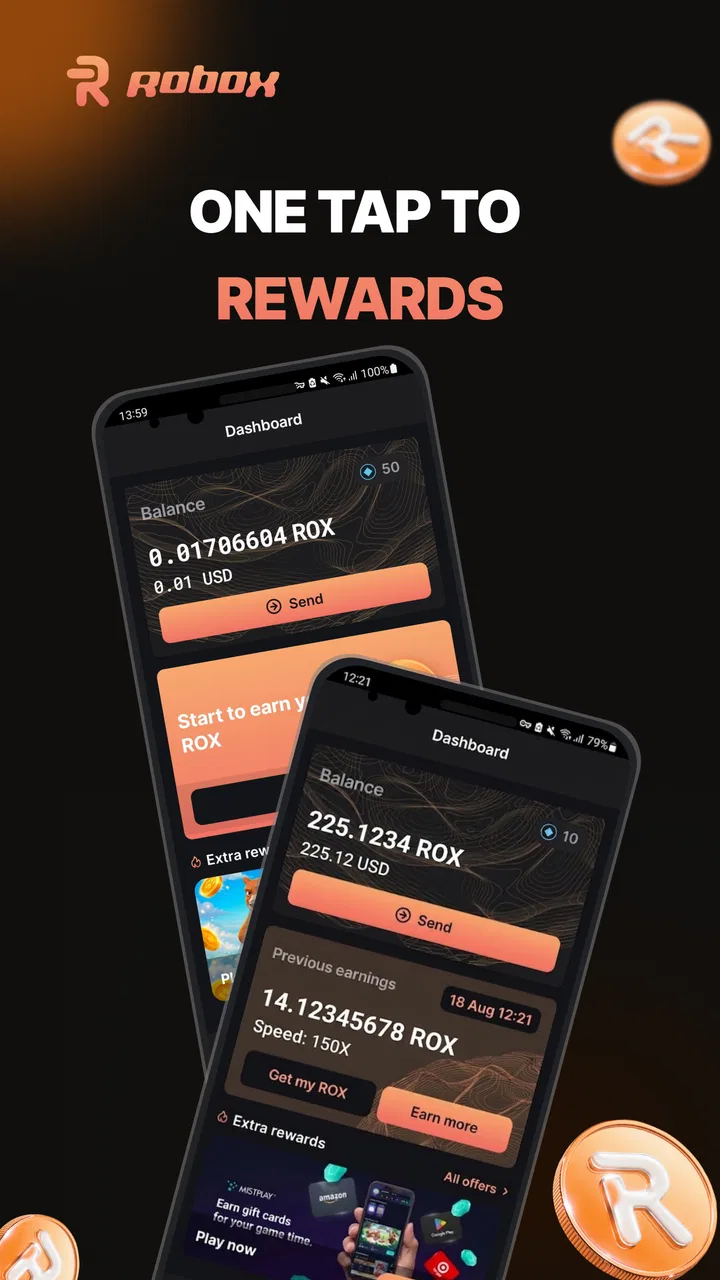
I approached Robox – Tap & Earn! as a finance app rather than as a game, even though its name suggests something more playful. The central appeal is simple: it presents crypto as something a newcomer can explore without starting with a complicated trading terminal. That makes the app interesting for people who want a gentle first look at digital assets, but it also means expectations matter. This is not the kind of tool I would choose for serious portfolio management, detailed market research, or making fast investment decisions.
My overall impression is that Robox works best when treated as a small, controlled experiment in the crypto space. I would use it during spare moments, learn how its earning flow and account choices work, and avoid treating any displayed balance as guaranteed income. That distinction is important with any app connected to finance. A friendly interface can reduce the intimidation factor, but it should never replace careful reading, secure account habits, or independent judgment.
What Robox feels like in everyday use
Robox is developed by RoboxOne OU and sits in the finance category. It is free to install, carries an Everyone age rating, and was released on March 23, 2024. Its current version is 1.0.1101, with Android support from version 7.0 onward. Those details make it accessible to people using older Android phones, which is useful if you want to try a lightweight crypto-oriented app without upgrading your device first.
You May Also Like

 Blood Strike: 2.5 Anniversary
Blood Strike’s Loadouts Turn Every Drop Into a Tactical Gamble
A close look at Blood Strike’s custom loadouts: how fast access to signature weapons reshapes its battle royale rhythm, rewards preparation, and narrows the gap between fights.

 Pandora - Music & Podcasts
Pandora’s Music Is Easy to Start, but Harder to Recover
Pandora’s strength is its low-effort path from a seed to a station. Its weak spot is how much confidence it asks you to place in connection, setup, and quiet recovery.

 8 Ball Pool
 Is Built on Rivalries, Rematches, and Routine
A close look at the rivalries, rematches, shared routines, and unanswered safety questions that turn a quick pool match into a persistent mobile community.

 Samsung Music
’s Quiet Strength Is Playing What You Already Own
Its reach comes less from spectacle than from dependable access to a personal library. That simplicity is both the app’s strongest retention engine and its ceiling.

 AccuWeather: Weather Radar
AccuWeather Review: A Quick, Clear Forecast for Everyday Decisions
For everyday plans, the best forecast is the one you can understand quickly. AccuWeather makes rain timing, radar, and local conditions easy to act on, with a few trade-offs.

 Hill Climb Racing
Why Hill Climb Racing Still Turns Crashes Into One More Run
A tiny car, a bumpy hill and one more upgrade: Hill Climb Racing keeps resurfacing because its simple chaos makes every near-miss feel personal.
More From Our News Desk



The app has attracted over 500 thousand installs and holds a 4.4 average from around 14 thousand ratings, alongside hundreds of written reviews. I see that as evidence of broad curiosity and a generally positive first impression, not as proof that every user will have the same experience. Finance apps can receive favorable ratings for being easy to start, while still requiring extra care once money, identity, withdrawals, or account security become part of the process.
The store summary describes the idea in very few words: crypto made easy. In practice, that positioning is useful because it tells me who the intended audience is. Robox is aimed at the person who finds traditional exchanges crowded with charts, order types, and unfamiliar terminology. If you already understand wallets, networks, fees, and market orders, you may find the experience too limited or too indirect. If those subjects currently feel overwhelming, the simpler approach may be its strongest quality.
For a realistic everyday scenario, imagine checking the app during a commute or a short break. I would open it, review the available activity, read any prompts carefully, and decide whether the time required is worth the result shown in the app. I would not rush through screens just to keep a streak or unlock an action. The useful habit is to pause whenever the app asks for an account decision, personal information, a permission, or a payment.
Why the simple approach can be helpful
Crypto newcomers often make mistakes because they are trying to understand too many things at once. A conventional exchange can place price charts, wallet addresses, network selections, verification steps, and trading controls on the same journey. Robox’s appeal is that it can serve as a less intimidating starting point. I can explore the concept of earning-related crypto activity before deciding whether I actually want to open a full exchange account.
That makes it potentially useful for learning vocabulary and building a cautious routine. I would use it to ask practical questions: What does the app consider an earning action? How is progress represented? What information does it request before allowing an account function? Which choices are optional, and which are necessary? These questions are more valuable than simply tapping through the interface as quickly as possible.
There is also a psychological advantage to separating exploration from investment. Someone curious about cryptocurrency does not need to deposit money on the first day. A free app can provide a low-cost way to understand whether the subject is interesting enough to pursue. However, “free” should not be confused with “without trade-offs.” The app includes in-app purchases ranging from $1.49 to $999.99 per item, so I would review every purchase screen carefully and disable or protect payment options if I did not want accidental spending.
Controls I would check before using it seriously
My trust assessment would begin with the choices visible inside the app and around the account, not with the name of the product or its rating. Before spending time on Robox, I would look for clear account controls, sign-in and sign-out options, ways to manage notifications, and understandable explanations for any request involving personal information. I would also check whether the app lets me review or change choices later rather than forcing me to accept everything in one step.
Those checks are especially important because a finance app may become more sensitive as a user moves beyond casual browsing. A screen that seems harmless at first can lead to account verification, payment settings, or a crypto-related action. I would read each screen instead of assuming that tapping the most prominent button is the only route forward. If a choice is presented as urgent, confusing, or difficult to reverse, I would stop and investigate before continuing.
A practical tip is to create a short personal checklist before the first session. I would confirm the developer name, inspect the app’s permission requests through Android settings, review purchase protection on the device, and decide in advance whether I am willing to provide additional account information. I would also keep a record of the account email or sign-in method I used. That sounds basic, but it prevents the common problem of forgetting how an account was created and then trying to recover it through guesswork.
I would not grant a permission merely because the app asks for it. The right question is whether the requested access makes sense for the action I am trying to perform. If a permission appears unrelated to browsing, account management, or the specific feature on screen, I would deny it and see whether the app still works. This is not an accusation against Robox; it is a sensible rule for every finance app, especially one I am still getting to know.
Where data and money deserve extra attention
The most sensitive moments are not necessarily the first launch or the basic earning screen. They are the points where the app connects my identity, device, payment method, or crypto-related account activity. I would slow down at registration, verification, purchase confirmation, withdrawal-related screens, and any prompt that asks me to leave the app or use another service.
I would also inspect the privacy and account information available from the app’s store page and in-app settings before committing to regular use. The aim is to understand what choices are offered, how the account can be managed, and whether I can remove access or stop using the service without leaving unnecessary settings active. If the explanations are too vague for me to understand, I would treat that lack of clarity as a reason to limit my use rather than filling in the gaps with assumptions.
Another useful habit is separating a trial account from the rest of my digital life. I would avoid reusing an important password, use a unique login credential, and make sure the email account behind it is protected. I would never share a recovery code, password, or one-time verification code with another person. If the app or anyone claiming to represent it asks for such information in an unusual way, I would stop and verify the request through an official channel.
Purchases require the same caution as crypto actions. The available purchase range is unusually broad, so I would never tap through a payment dialog without checking the item, the final amount, and whether the transaction is recurring or one-time. I would use the device’s purchase authentication and keep the app behind a screen lock. If I were testing Robox on a family device, I would be particularly careful because an accidental tap could have consequences beyond the app itself.
How much control the user really has
User agency is not only about having a settings menu. It is about being able to understand what is happening and make a deliberate choice. In Robox, I would judge the experience by how clearly it distinguishes ordinary activity from anything involving payment, account verification, or a transfer. A simple interface is valuable only when it remains clear at the moments that matter most.
I would also look for a straightforward way to stop notifications, sign out, and discontinue use. If I decide that the app is not for me, I want to know how to leave cleanly rather than simply deleting the icon. Deleting an app does not necessarily remove an account or cancel a purchase, so I would handle those steps separately. I would review account controls first, then remove the app only after I was satisfied that no further action was needed.
One non-obvious trade-off is that convenience can make users less observant. A tap-based workflow may feel harmless because each individual action is small, yet the cumulative result can involve time, permissions, and spending. I would therefore set a personal limit: no purchases during the trial period, no sharing of sensitive documents until I understand why they are needed, and no assumption that an in-app balance can be converted or withdrawn in the way I expect.
A second useful insight is to compare the app’s language with the actual action available on screen. Words such as “earn,” “reward,” or “bonus” can sound like a promise if read quickly. I would look for the conditions attached to those terms, including eligibility, timing, minimums, fees, or other requirements. If the wording does not let me understand the practical outcome, I would treat the feature as exploratory rather than financially meaningful.
Robox compared with ordinary alternatives
Compared with a standard crypto exchange, Robox appears better suited to approachability than depth. An exchange is usually the more natural choice for someone who needs direct market access, detailed pricing information, order controls, wallet transfers, and a broader view of a portfolio. That extra functionality also creates more opportunities for costly mistakes, so a beginner may find Robox less intimidating at the start.
Compared with a traditional budgeting or savings app, Robox serves a different purpose. A budgeting app helps me understand spending, recurring bills, and cash flow. It is generally the better tool for managing rent, groceries, debt payments, or an emergency fund. Robox should not replace those basics. I would consider it only after my everyday financial planning was already under control.
Compared with a general rewards app, the crypto angle changes the risk and the questions I need to ask. A conventional rewards service may offer coupons or points that are easier to understand and use. Robox requires me to think about digital assets, account access, and the difference between an in-app representation and something I can actually use outside the app. That makes it more interesting for crypto-curious users, but less suitable for someone who wants a predictable loyalty program.
The best alternative depends on the job. I would choose Robox for a gentle introduction and a controlled trial. I would choose a regulated exchange for deliberate buying or selling after learning the basics. I would choose a budgeting app for household finances. I would choose a conventional rewards service if my priority were simple discounts rather than crypto-related activity.
Who should try it, and who should skip it
I can recommend giving Robox a cautious look to an Android user who is curious about crypto, prefers a simple interface, and is comfortable treating the experience as education or experimentation. It may also suit someone with an older compatible phone who wants to explore the subject without immediately navigating a full trading platform. The free entry point makes that initial test easier, provided payment screens are handled carefully.
I would not recommend it as a primary financial tool for someone managing serious investments, needing advanced market information, or expecting guaranteed returns. I would also advise against it for a user who dislikes reading account prompts, does not want to review permissions, or is likely to make impulse purchases. The age rating of Everyone describes broad accessibility, not financial suitability. A young or inexperienced user still needs an adult-level understanding of spending and account security.
I would skip the app if my main goal were conventional money management. It is not the place I would organize bills, track a household budget, or plan long-term savings. I would also skip it if I could not clearly understand what happens to an earned amount, what actions are required to use it, or how to close the account. Clarity is more important than novelty in any product touching finance.
My cautious verdict after weighing the trade-offs
Robox has a clear role: it lowers the barrier to exploring crypto through a simpler finance app. Its broad adoption and 4.4 average suggest that many users find the first experience appealing, and I understand why. The product is easier to approach than a dense exchange, works with Android 7.0 and later, and can be tested without an upfront purchase.
My recommendation comes with firm boundaries. I would start slowly, inspect permissions and account choices, protect the login, avoid rushing through purchase screens, and keep expectations realistic. The in-app purchase range, from $1.49 to $999.99 per item, is enough reason to enable purchase authentication and avoid treating the app like a harmless toy. I would also keep Robox separate from my core financial planning and never use it as a substitute for research.
The strongest way to use it is as a learning step: explore the interface, understand the available choices, observe how the account works, and decide whether crypto deserves further study. The weakest way to use it is to tap automatically, spend impulsively, or assume that an attractive balance equals dependable income. With that distinction in mind, I think Robox is worth trying for a careful beginner, while experienced traders and users seeking traditional financial organization will be better served by more specialized alternatives.
In the end, I would recommend Robox – Tap & Earn! only to someone who values simplicity and is willing to remain alert. The app can make the first step feel less intimidating, but the responsibility still belongs to me as the user. My practical rule is simple: explore freely, share selectively, and spend only when every consequence is clear.
FAQs for Robox – Tap & Earn!
01What is Robox – Tap & Earn! and how does it work?
Robox – Tap & Earn! is a mobile app designed to help users earn rewards by completing simple tasks and engaging with various in-app activities. Users can earn points by tapping, playing mini-games, or watching short videos. These points can then be redeemed for real-world rewards, such as gift cards or PayPal cash.
02Is Robox – Tap & Earn! free to download and use?
Yes, Robox – Tap & Earn! is completely free to download and use. While there are optional in-app purchases that can enhance the user experience or speed up earnings, engaging with the app's core features does not require any payment. Users can start earning rewards without any initial investment.
03How are rewards redeemed in Robox – Tap & Earn!?
Rewards in Robox – Tap & Earn! are redeemed using the points accumulated through various activities. Once users reach a certain point threshold, they can exchange these points for rewards such as gift cards for popular retailers or cash via PayPal. The app provides a straightforward redemption process within its interface.
04Are there any privacy concerns with using Robox – Tap & Earn!?
Robox – Tap & Earn! takes user privacy seriously. The app requires basic information to set up an account and track earnings. However, it does not sell personal data to third parties. Users are encouraged to review the app's privacy policy to understand how their data is used and protected.
05What kind of tasks can I expect in Robox – Tap & Earn!?
In Robox – Tap & Earn!, users can expect a variety of tasks, including playing mini-games, watching videos, and participating in surveys. These tasks are designed to be quick and engaging, providing users with multiple ways to earn points. The app regularly updates its tasks to keep the experience fresh and rewarding.
Pros
- User-friendly interface for easy navigation.
- Variety of tasks keeps gameplay engaging.
- Quick payouts enhance user satisfaction.
- Lightweight app
- doesn't drain battery.
- Regular updates improve features.
Cons
- Limited earning potential per task.
- Requires constant internet connection.
- Advertisements can be intrusive.
- Occasional glitches disrupt tasks.
- Payout options could be more diverse.

Robox – Tap & Earn!
Gallery